So you’ve created something. A book, a product, something you want other people to see. First off, good for you! That’s a heavy effort and deserves to be commended. Now, you want to get your product in front of as many eyes as possible. People want the path of least resistance. They’re not going to want to go to Google and spend time tracking down your product. When asked, you want to have something ready to go, and you don’t want that thing to be some endless string of letters and numbers that will cause people’s eyes to glass over. Luckily, there are plenty of link shortening tools out there for just this sort of thing. You can pay for upgraded features, but most of them will allow you the basics for free. Here’s a quick guide for creating a shortened link you can present to customers, so they can find your product.
I’m going to use one of my own stories as an example because this is my site and I can.
I recently wrote and published a fanfiction in the Mass Effect universe. The story is available on Wattpad, and this is what the raw link looks like. https://www.wattpad.com/1231285820-mass-effect-the-offer
Yeah, no one’s gonna want to remember that or even copy/paste it. So let’s make this a little simpler.
I recommend a service called bit.ly, but there are other services out there that do the same thing. Do your own research and find what works best for you.
First, highlight your link by clicking in your browser. Hold CTRL, and press A. The entire link should highlight.
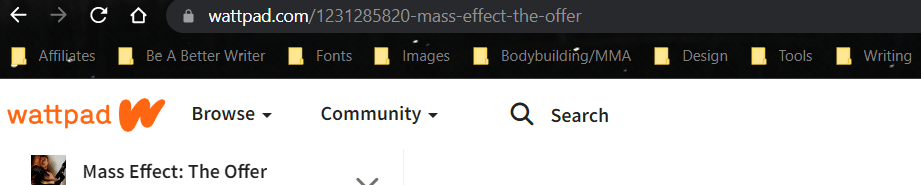
Then, while holding CTRL, press C. You shouldn’t see anything happen, but this will copy your link.
In a separate browser, open bit.ly. Creating an account is free. On the right-hand side, click “Create”.
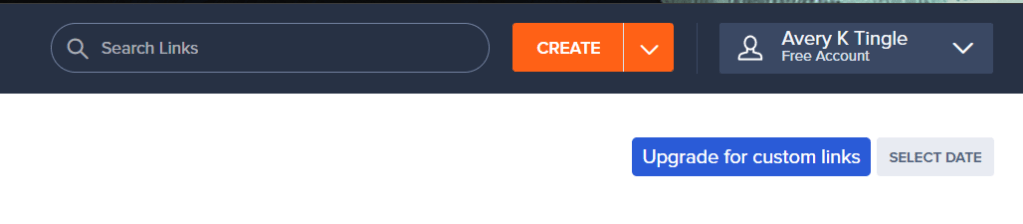
A box should slide in from the right with the option at the top “Enter Long URL”. If your link is from Amazon, Medium, Google, or Wattpad, Bit.ly will create a custom link emphasizing this free of charge. This is part of why I use the service. Hold CTRL and press V to place your link in the “Enter Long URL” field.
Hit “Create”.
Your new link should appear, along with options to copy, tweet, or even generate a QR code! You can share this link to your social media, newsletters, or you could even print the QR code to a business card you can hand out to people.

And there you go! You now have a shortened link you can use anywhere you like! I hope this guide helps you in your endeavors! Thank you for reading!
If Mass Effect is your thing, check out the award-winning fanfics I’ve produced on Wattpad. They’re all free.

 Avery K. Tingle, The Gamer Author
Leave a comment